XXTCloudControl

XXTCloudControl is the XXTouch cloud control server and supports deployment on Windows, macOS, and Linux.

Latest Version

v202610070229

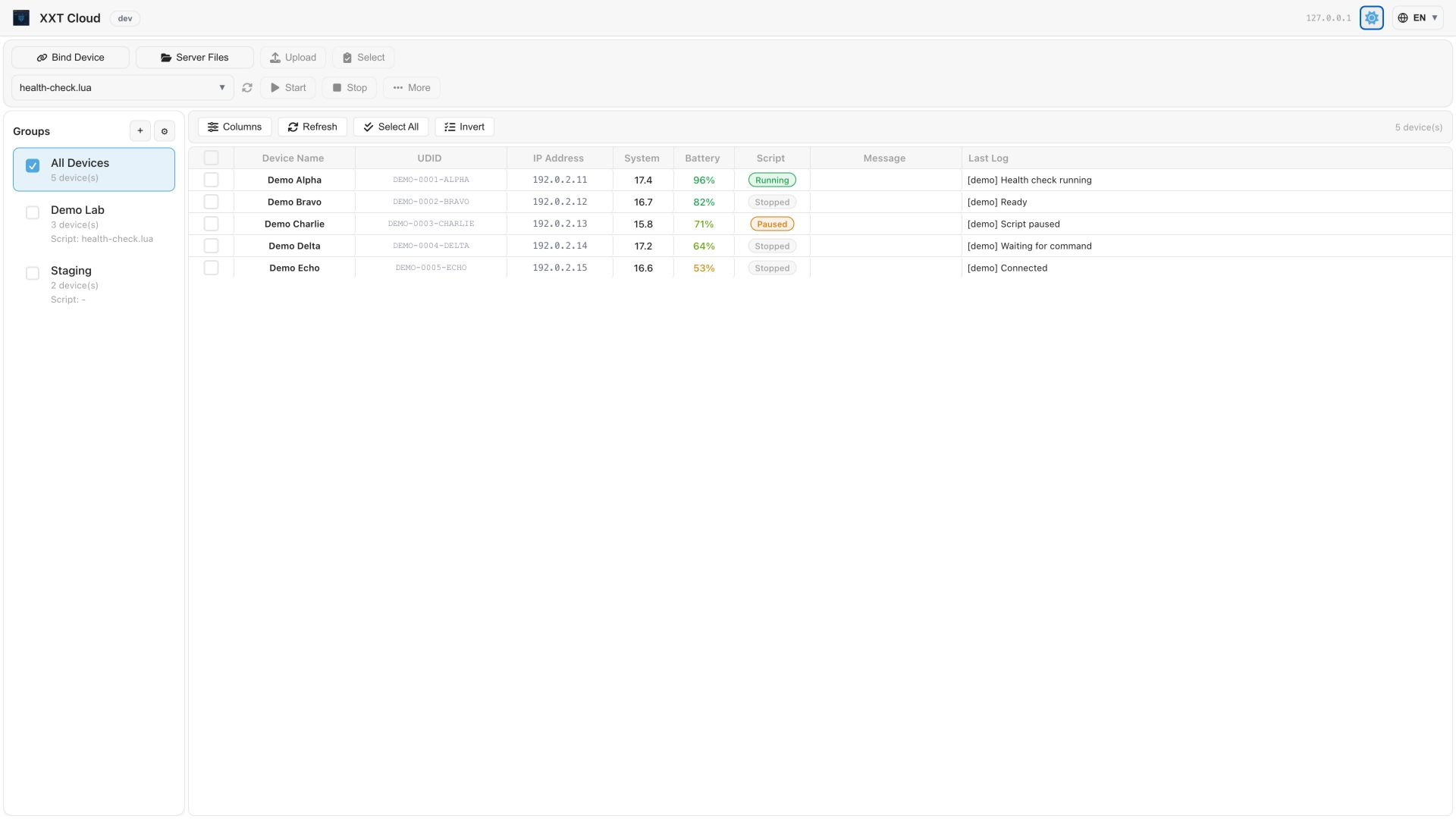
XXTCloudControl interface screenshot

Latest Downloads

Choose an installer for your operating system.

macOS (Apple Silicon)

7.29 MB

File Name

XXTCloudControl-v202610070229-darwin-arm64.zip

SHA256

8da746f1215bc019d9d706898647d8405923ea6e59458a876f6a07aba5eb46e2
Download

macOS (Intel)

7.56 MB

File Name

XXTCloudControl-v202610070229-darwin-amd64.zip

SHA256

f737cb21d12613b3a33b10c403132fedd0a7843b8a29681f2f41249b21ff22ec
Download

Windows x64

7.89 MB

File Name

XXTCloudControl-v202610070229-windows-amd64.zip

SHA256

dce15775eb2cfb00e5e25ca0cd36755f6e07a080fb06d7deb1dde17236a67ba3
Download

Windows ARM64

7.37 MB

File Name

XXTCloudControl-v202610070229-windows-arm64.zip

SHA256

53c1beafaaf56d11f1110815aca70566ca90184d841af38285358161ca515bee
Download

Linux AMD64

7.70 MB

File Name

XXTCloudControl-v202610070229-linux-amd64.zip

SHA256

f43b31e72222c3eaeb306625052aef8f484f10213a69c736ed2d3d6fb32419d0
Download

Linux ARM64

7.23 MB

File Name

XXTCloudControl-v202610070229-linux-arm64.zip

SHA256

469ecc4d8c5caa838be738919cb4779978b23b1bdf1e1bc0ddc31326b89e1e60
Download

Quick Software Guide

See the full documentation for complete usage and advanced configuration.

Full Documentation

Windows

Extract and run xxtcloudserver-windows-amd64.exe or the arm64 build, then open http://<server-host>:46980.

macOS

Extract and run the xxtcloudserver-darwin-arm64 or amd64 binary, then initialize the password with -set-password when needed.

Linux

Extract and run xxtcloudserver-linux-amd64 or arm64. Use systemd/supervisor to keep it running.

Docker

Images are available from Docker Hub and GHCR. Deploy with docker run or the repository docker-compose.yml.